
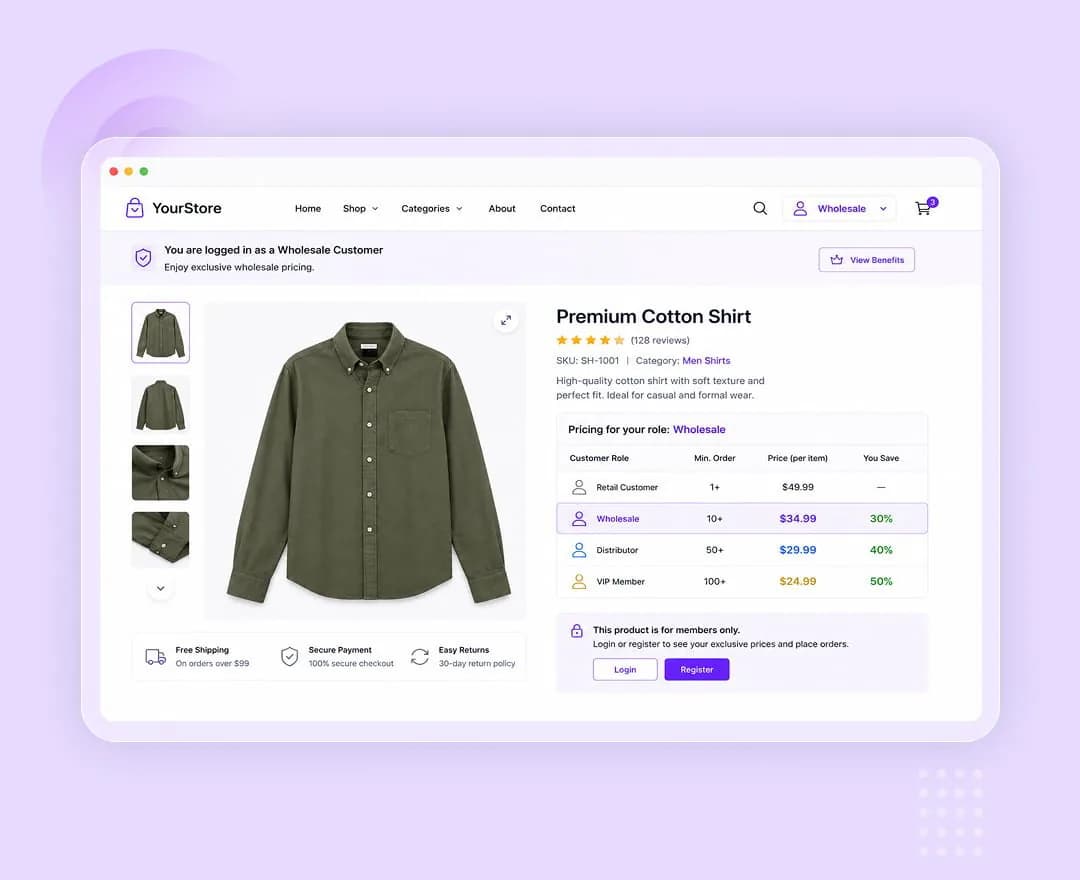
Priced by who is logged in
Pick the roles that get an adjustment. Everyone else keeps the list price, with no duplicate products and no second catalog to maintain.
Percentage or fixed amount
A positive value discounts, a negative value marks up. The same field handles a 15% trade discount and a surcharge, in your store currency or as a percentage.
Aimed at the right price
Apply the adjustment to the regular price only, the sale price only, or both — so a role discount never silently stacks on a promotion you did not intend.
Global rules, per-product exceptions
Products follow the global rules by default. Any product can switch to its own rules, or opt out of the global discount entirely and sell at list price.
These are the actual options in the plugin — no roadmap items, no “coming soon”.
Global rules
Applies to every product left on the default mode.
- Roles with pricing — which roles receive an adjustment
- Default adjustment type — percentage or fixed amount
- Default adjustment value — positive discounts, negative marks up
- Apply to — regular price only, sale price only, or both
Per product
Product data → Pricing.
- Default — follow the global rules
- Override — rules for this product only, with its own roles and value
- Do not apply global rules — this product always sells at list price
Visibility by role
Also known as Hide Add to Cart and Price. These are two role lists inside this extension, not a separate one.
- Hide price from selected roles — removed wherever the product's price appears
- Hide add to cart from selected roles — the product becomes unpurchasable for them, in the shop loop too
- Both settable globally and per product
- Only logged-in users have roles, so guests always see prices and buttons
Wholesale alongside retail
One catalog serves both. Trade customers sign in and see trade pricing; the public sees the retail price on the same product. Hide the price or the buy button from roles that should enquire instead of order.
Membership tiers
Map each membership level to a role and give it its own discount, without rebuilding the catalog for every tier.
Staff and partner pricing
Give employees or resellers their own rate on selected products while the rest of the catalog behaves normally.
Role Based Pricing is one of 16 WooCommerce extensions bundled inside Atomic Addons — no separate plugin, no separate licence.
All WooCommerce extensions- Adjustment types
- Percentage or fixed amount
- Direction
- Positive discounts, negative marks up
- Applies to
- Regular price, sale price, or both
- Scope
- Global rules with per-product override
- Roles
- Any WordPress role on the site
- Visibility
- Hide price or add to cart per role, for logged-in users
More WooCommerce extensions
Build what clients imagine
Design without limits and deliver client-ready websites with full control over every detail on every device.